Loading...
Please wait while we prepare your content
So far, most queries have lived on a single table. In real systems, facts are normalized: customers in one place, orders in another, line items somewhere else. The glue between rows is keys. A JOIN is how you tell the database: for each row here, find the related row there and show them side by side.
This lesson connects back to entity–relationship thinking (nouns linked by relationships). The diagram below is the Chinook sample schema—use it as a mental map while you read the join types.
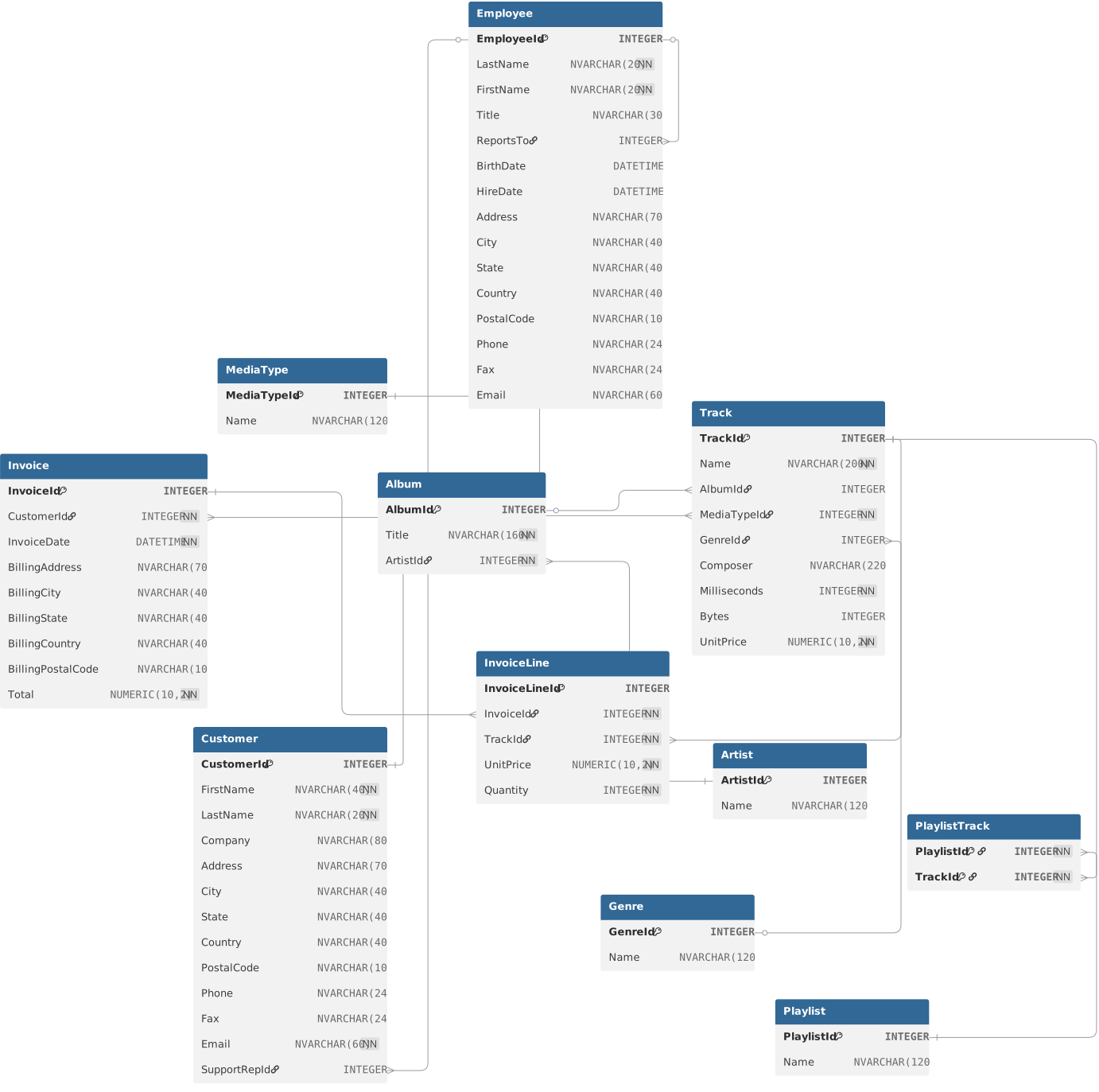
An ERD shows entities (tables), attributes (columns), and how entities link (one-to-one, one-to-many, many-to-many). You already met this in detail in the previous lesson; here it is a navigation chart for JOIN clauses: trace a foreign key from one box to another and you know which columns belong in ON.
Entity data is split across tables on purpose. Each entity should be identifiable uniquely—typically with a primary key (often an integer, but any stable unique value works).
The JOIN clause (in practice, usually INNER JOIN) pairs rows from two tables when they match the condition you put in ON—most often left_table.fk = right_table.pk. The result has columns from both sides for each successful match.
SELECT column, another_table_column, …
FROM mytable
JOIN another_table
     ON mytable.id = another_table.id
WHERE condition(s)
ORDER BY column, … ASC/DESC
LIMIT num_limit OFFSET num_offset;
JOIN alone is equivalent to INNER JOIN in SQLite: only matching pairs appear.
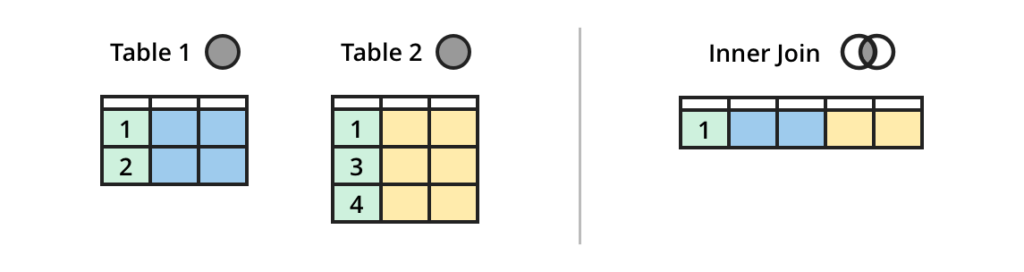
INNER JOIN drops rows that have no partner on the other side. That is correct when you only care about complete pairs—but not when missing data is itself meaningful.
LEFT JOIN keeps every row from the left-hand table. If no row on the right satisfies ON, right-hand columns come back as NULL. Use this when the related record might not exist yet (optional relationship) or you still want the “parent” row in the report.
SELECT column, another_column, …
FROM mytable
LEFT JOIN another_table
    ON mytable.id = another_table.matching_id
WHERE condition(s)
ORDER BY column, … ASC/DESC
LIMIT num_limit OFFSET num_offset;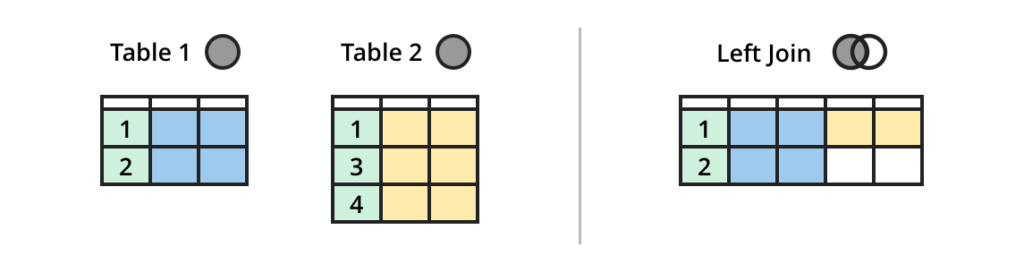
A full outer join returns all rows from both tables, pairing where keys match and filling with NULL where they do not. In practice it is uncommon; most analytics stick to inner and left joins.
SQLite does not implement FULL OUTER JOIN as a single keyword. If you ever need that shape against SQLite, you typically combine results (for example with UNION) after two directional outer joins—worth knowing before you copy a PostgreSQL-only example verbatim.
Further reading: full outer join examples and when it is used.
Note: In some products you will see FULL OUTER JOIN spelled out; it is the same idea as OUTER JOIN where that alias exists.
You can chain more than two tables by adding more JOIN … ON … clauses—each new table must connect to the graph through real keys. The JOIN practice page in this chapter uses a movie-themed dataset—apply inner and left joins, aggregates, and multi-table patterns there.