Loading...
Please wait while we prepare your content
You now understand that an Inner JOIN returns rows from both tables when a match, defined by the ON clause, exists. Next, you'll learn about unions, which combine the results of queries, and outer joins, which give you back rows without matching counterparts in the other table. You can get all data the way you need to after becoming familiar with these techniques.
To understand outer joins, consider a company database of the company's employees, departments, and locations.

LEFT JOIN
Now suppose you want the data on the locations, with the related department and employee data. Because a location without any associated departments may exist. To get what you want, you must use an outer join, as in the following example:
SELECT
    l.city AS 'City',
    d.name AS 'Department',
    e.name AS 'Employee'
FROM
    cs_locations AS l
    LEFT OUTER JOIN cs_departments AS d ON (l.id = d.location_id)
    LEFT JOIN cs_employees AS e ON (d.id = e.department_id);
The query produces the following result:

This join pulls data from three tables. First, the cs_locations table is joined to the cs_departments table.
The result set is then joined to the cs_employees table.
Rows from the table on the left of the LEFT OUTER JOIN operator that have no corresponding row in the table on the right are included in the result.
Thus, in the first join, all locations are included, even if no department associated with them exists (Da Nang).
In the second join, all departments are included, even if no employee associated with them exists (Product).
FULL OUTER JOIN
The full outer join retains the unmatched rows from both the left and the right tables. Consider the most general case of the company database used in the preceding examples. It could have
To show all locations, departments, and employees, regardless of whether they have corresponding rows in the other tables, use a full outer join in the following form:
SELECT
    l.city AS 'City',
    d.name AS 'Department',
    e.name AS 'Employee'
FROM
    cs_locations AS l
    FULL OUTER JOIN cs_departments AS d ON (l.id = d.location_id)
    FULL OUTER JOIN cs_employees AS e ON (d.id = e.department_id);
The query produces the following result:

Now you can see the new row of Charles, the CEO with no departments.
A Self Referencing foreign key is the primary key used in that same table for another purpose, e.g. the supervisor_id in the cs_employees table.
Suppose we want to list employees with their supervisor names.
SELECT
    e1.name AS 'Employee',
    e2.name AS 'Supervisor'
FROM cs_employees AS e1 JOIN cs_employees AS e2 ON e1.supervisor_id = e2.id;
The query produces the following result:

We're using the table cs_employees twice, first aliased as e1, then aliased as e2.
Then we're doing an inner join to connect the supervisor_id from e1 with the name of the supervisor (from e2).
This query is called a self join that allows you simulate having two tables with exactly the same information in them.
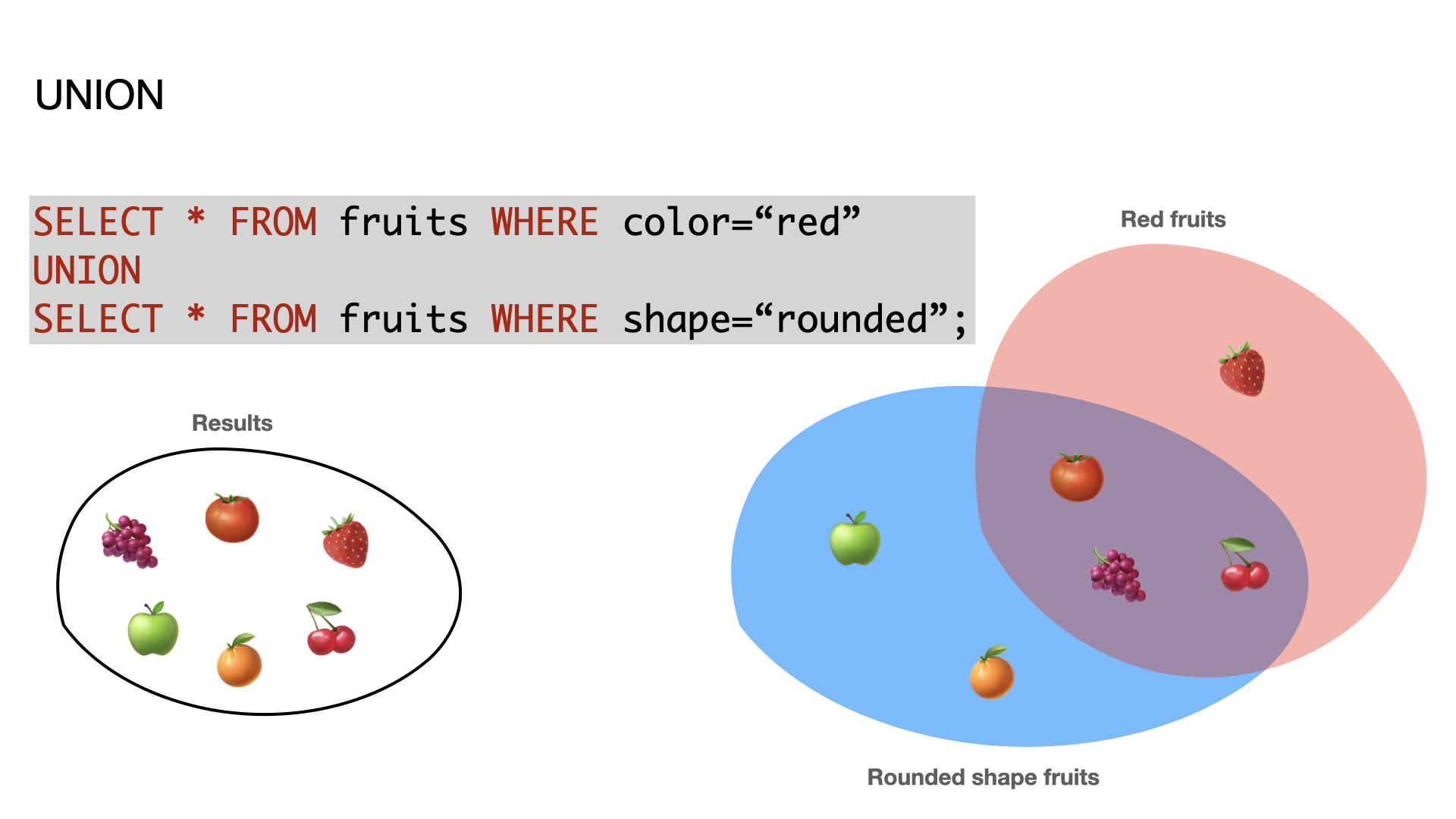
There's another way of getting combined results from two or more tables, called a UNION.
Consider a table of fruits:

Assume we have two queries:
SELECT * FROM fruits WHERE color='red';SELECT * FROM fruits WHERE shape='rounded';A UNION combines the results of two or more queries into one table. Think of the results of the UNION like they're the values from each SELECT that "overlap".
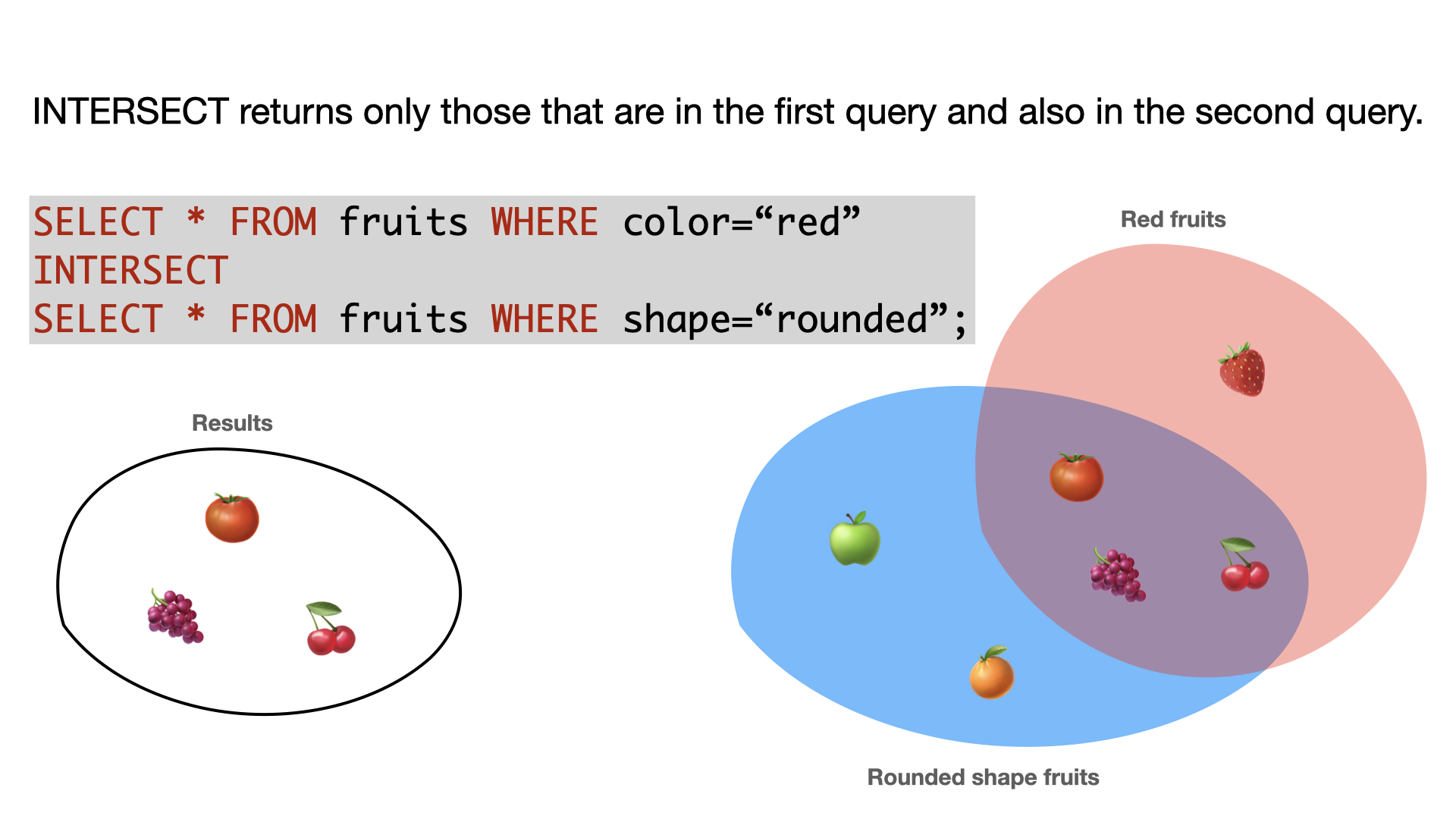
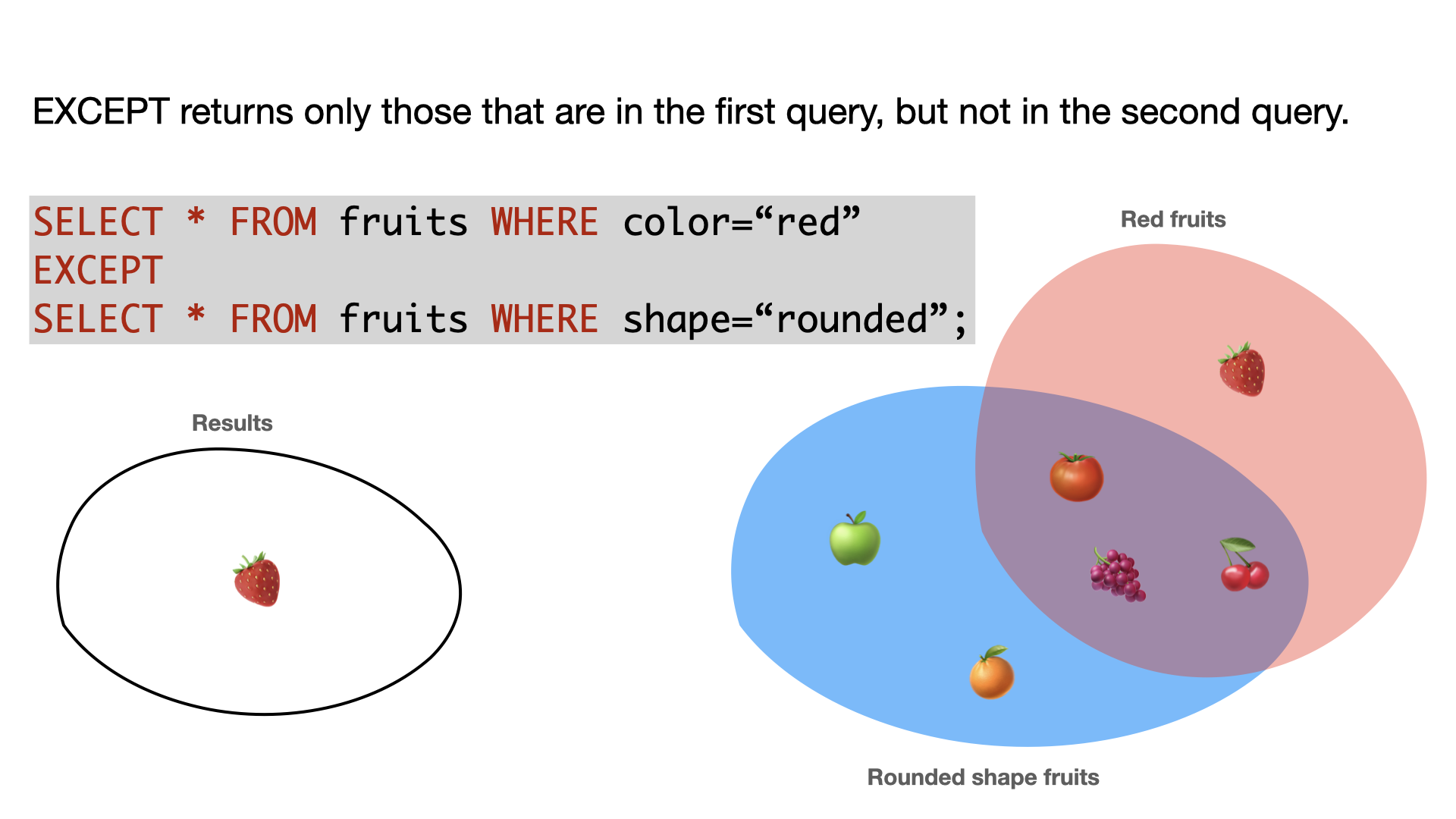
SELECT Name FROM titanic WHERE ('Age' >= 1) AND ('Age' <= 2);SELECT Name FROM titanic WHERE ('Age' <= 1);Retrieve UNION, INTERSECT, and EXCEPT of the two queries. Take a guess of the result before you execute the query.